
Download XO – tic-tac-toe, strategy game, AI opponent, customizable markers, classic game, fun game, brain teaser, casual game, mobile game
Overview
The mobile app XO offers a modern take on the timeless classic tic-tac-toe, reimagined for today’s smartphone users. Designed by developer Thomas P. Larson, the app brings the nostalgic charm of the traditional game into a digital format while introducing fresh elements to enhance player engagement.
At its core, XO challenges users to strategically place their markers to form a line of five in a row, expanding beyond the standard three-in-a-row format to add depth and complexity. This evolution appeals to both casual players seeking a relaxing pastime and more competitive users who enjoy mental challenges. The app serves as a lightweight, accessible tool for short gaming sessions, making it ideal for breaks, commutes, or downtime between tasks.
Target users include individuals who appreciate simple yet strategic gameplay, fans of retro-style games, and those looking for a brain teaser without a steep learning curve. The inclusion of customizable markers adds a personal touch, allowing users to insert their own images or symbols, which fosters creativity and emotional connection to the game. Although the developer did not provide additional technical details about the app’s design philosophy or development history, its long-standing presence since 2006 suggests reliability and enduring appeal. In the broader app ecosystem, XO stands out as a minimal yet meaningful utility that demonstrates how classic concepts can be revitalized with subtle enhancements.
Key Features & Functionality
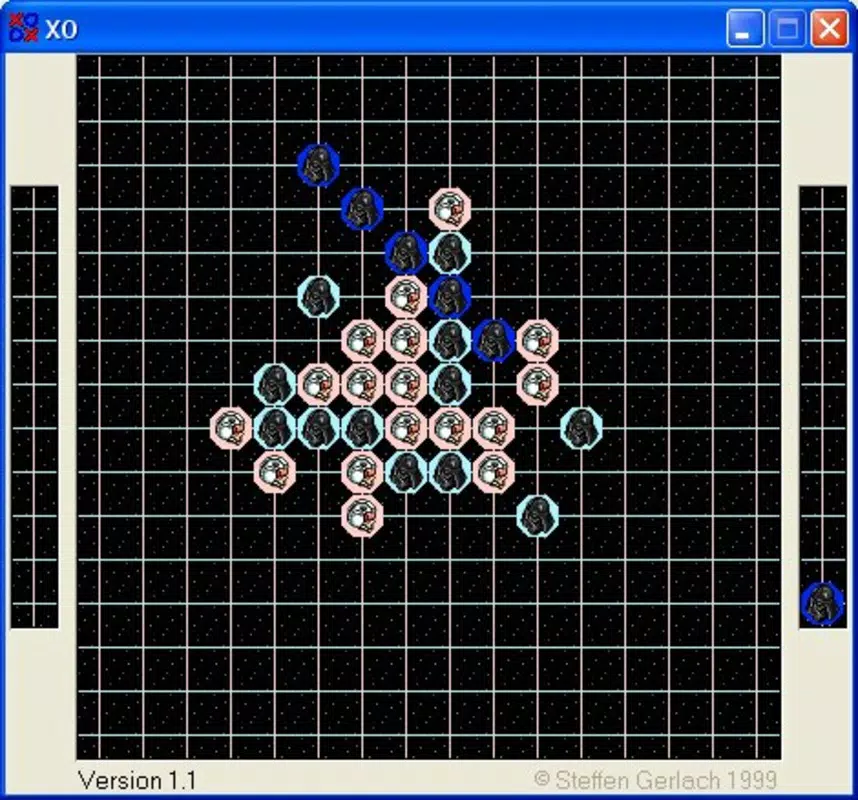
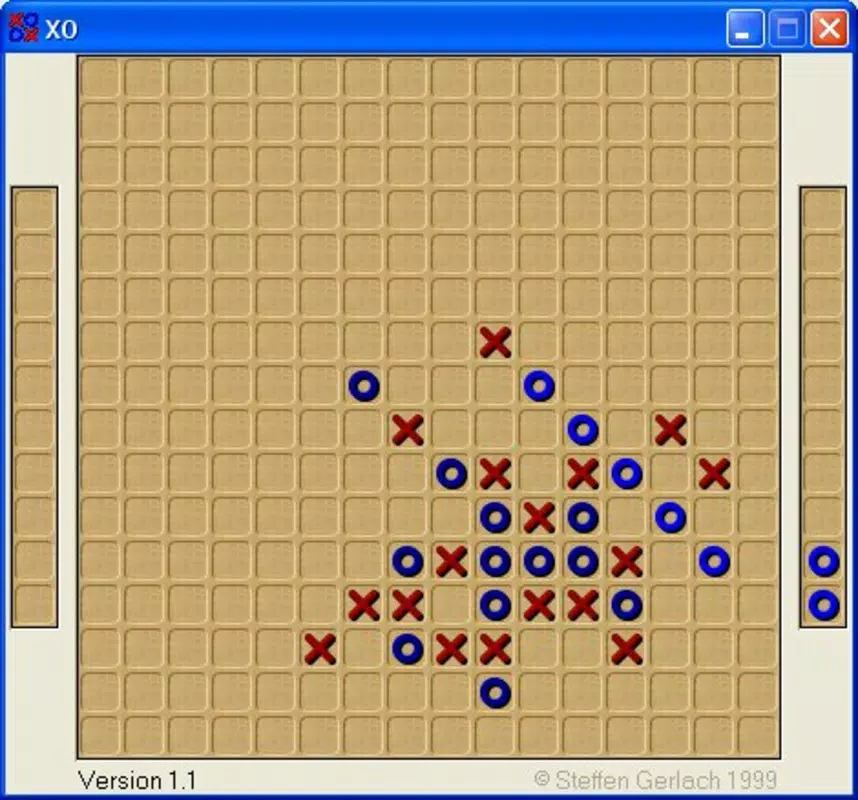
- Classic Game Concept with Expanded Rules: Unlike traditional tic-tac-toe, XO requires five markers in a row, increasing strategic depth and reducing predictability. This change transforms a simple game into a more engaging challenge suitable for repeated play.
- AI Opponent with Adjustable Difficulty: The app features an intelligent AI that adapts its gameplay based on selected difficulty levels. This allows beginners to learn the mechanics while experienced players can test their tactics against a formidable opponent.
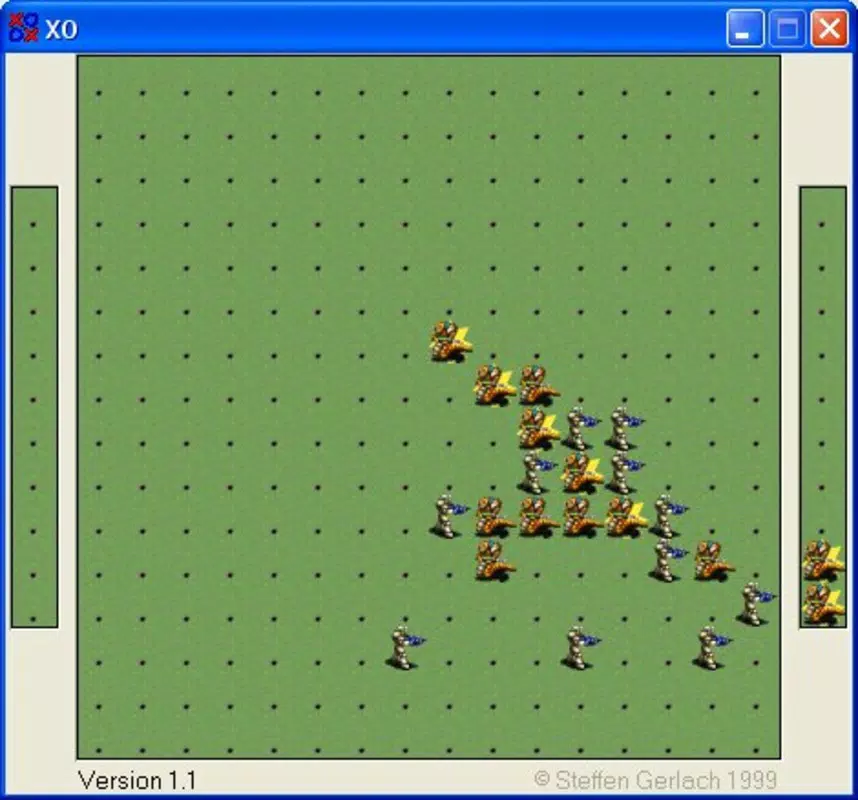
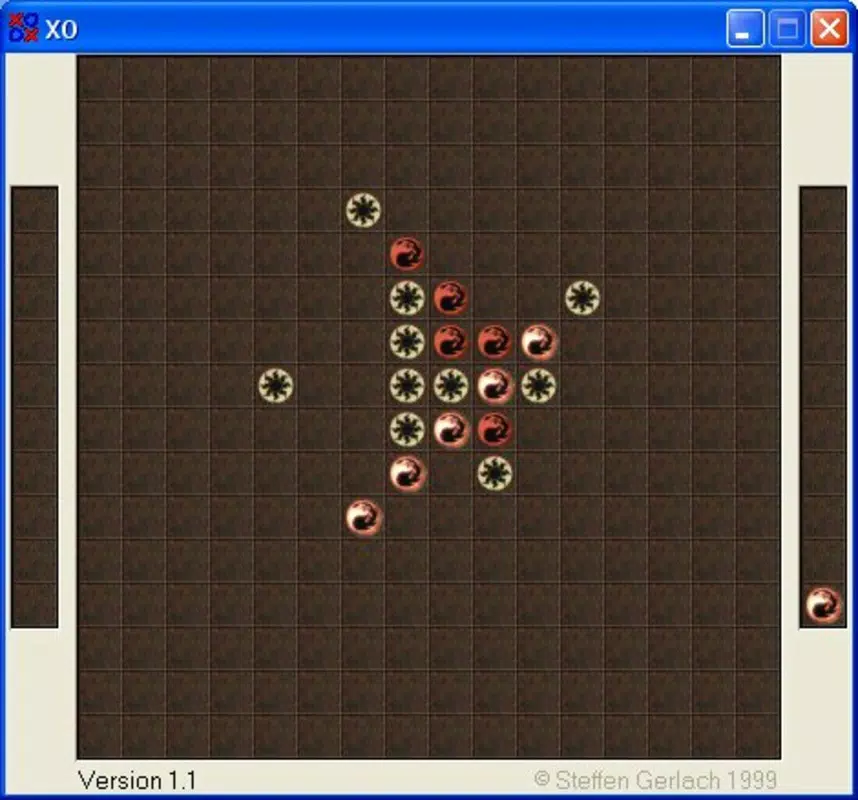
- Custom Marker Import: Users can upload personal images or symbols to use as their game markers. This feature personalizes the experience and makes each game unique, especially useful for players who want to use favorite icons or avatars.
- Short, Focused Gameplay Sessions: Designed for quick rounds, XO fits seamlessly into busy schedules. Whether during a coffee break or a study pause, the app delivers instant entertainment without requiring long-term commitment.
- Universal Accessibility: With no complex controls or tutorials, the game is easy to start and play immediately. This simplicity ensures broad appeal across age groups and skill levels.
For example, a student might use custom markers of their favorite cartoon character to make a game more fun during a study break. A professional could challenge the AI at a higher difficulty level to sharpen focus and decision-making skills. These practical applications highlight how XO functions not just as a pastime, but as a tool for mental engagement and personal expression.
Interface, UX & Performance
The user interface of XO maintains a clean, minimal design that prioritizes gameplay clarity. The board layout is intuitive, with clearly defined spaces for marker placement and visible indicators for turn order. Navigation is straightforward—players tap to place their marker, and the AI responds automatically. The visual style is simple and uncluttered, avoiding distractions and ensuring that attention remains on the strategic elements of the game.
Although the developer did not list formal performance metrics, the app’s small file size of 14.3 MB suggests efficient resource usage. It is likely optimized for a wide range of Android devices, including older models. The app appears to respond quickly to inputs, with minimal lag between moves, contributing to a smooth user experience. Stability is implied by the app’s long availability since 2006, indicating consistent performance over time. While specific compatibility details were not disclosed, the lightweight nature of the app suggests it runs reliably across various screen sizes and processing capabilities.
Platform Compatibility & Technical Requirements
XO is available on the Android platform, with the current version listed as 1.1. The app has a file size of 14.3 MB, making it a compact download suitable for devices with limited storage. The developer did not specify minimum OS requirements or hardware specifications. As such, compatibility with specific Android versions or device categories cannot be confirmed. However, the app’s long-standing presence and small footprint suggest it is designed to function on a broad range of Android devices, including those with older operating systems.
Users should ensure their device supports Android applications and has sufficient storage space to install the app. Since the app is free, there are no financial barriers to access. For those seeking a secure, lightweight game, XO offers a low-risk option with minimal setup. The lack of listed technical requirements does not detract from its usability, as the app’s simplicity likely allows it to operate on most standard Android smartphones and tablets.
Pros and Cons
- Simple, intuitive interface suitable for all ages
- Free to download and use
- Custom marker functionality adds personalization
- AI opponent provides replayability and challenge
- Small file size ensures quick installation
- Designed for short, engaging gameplay sessions
- No official information on minimum OS or device requirements
- Limited to Android platform (no iOS version mentioned)
- No multiplayer or online features described
- Visual design is basic and may not appeal to users seeking modern aesthetics
- Updates or future development plans not publicly disclosed
FAQ
Is XO available for iOS devices?
The developer did not provide information about iOS compatibility. The app is currently listed as available on Android.
Can I play XO offline?
Yes, XO does not require an internet connection to function. All gameplay, including AI challenges, operates locally on the device.
How do I customize my markers in XO?
Users can import their own images or symbols to use as game markers. The exact method for importing is not detailed in the provided information.
Is XO safe to download?
As a free app developed by Thomas P. Larson and available through official Android channels, XO is considered secure. However, users should always download from trusted sources to avoid third-party modifications.
Are there any in-app purchases or ads?
The app is listed as free with no pricing information. The developer did not mention ads or in-app purchases, suggesting a clean, ad-free experience.
Final Thoughts
XO delivers a refined, nostalgic gaming experience with thoughtful modern enhancements. By expanding the classic tic-tac-toe format and introducing customizable markers, it transforms a simple pastime into a personalized, strategic challenge. The AI opponent ensures consistent replayability, while the lightweight design makes it accessible to a wide audience.
Though it lacks advanced features like multiplayer or detailed settings, its focus on simplicity and core gameplay is a strength. This app is ideal for anyone seeking a fun, brain-teasing distraction that fits into a busy schedule. Whether you're a casual player or a strategy enthusiast, XO offers a satisfying and secure way to enjoy classic gameplay.
Download XO now


